
About
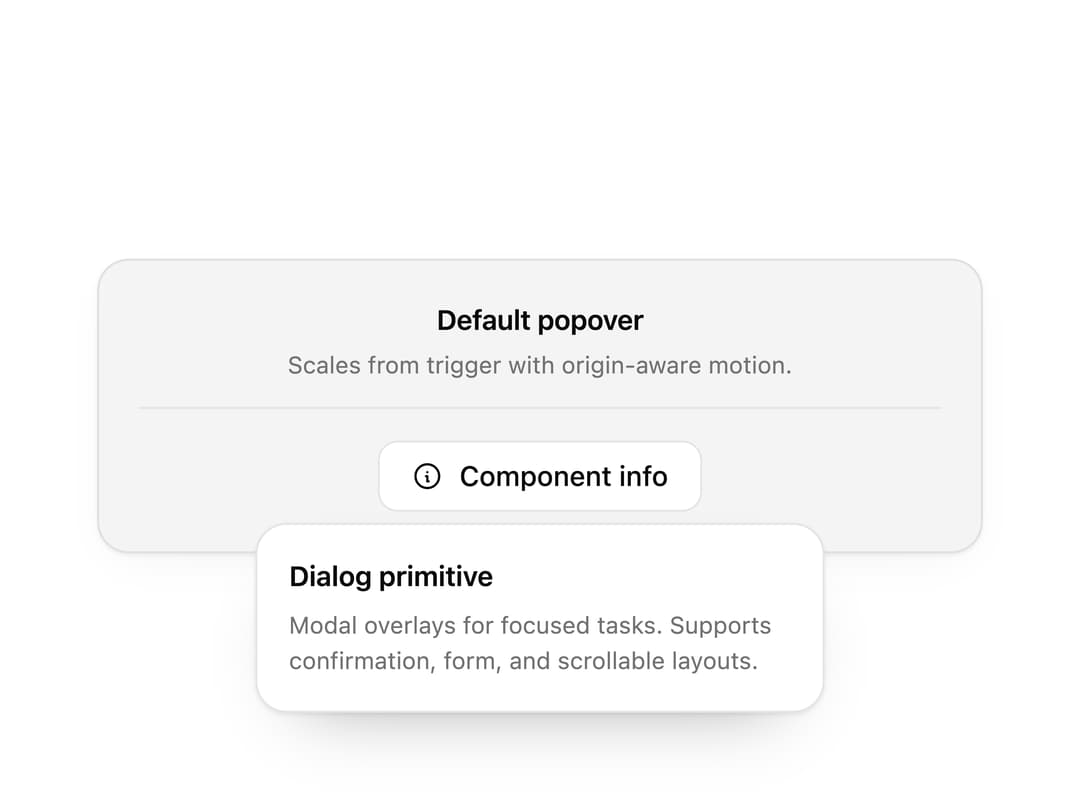
A floating popover panel with title, description and arrow for inline forms, quick settings and previews. Smart positioning and full keyboard support, built on Base UI.
Built with React and Tailwind. Copy the prompt and paste it into Claude Code, Cursor or Lovable: your agent adds Popover to your project and fits it to your theme.
Code
How Popover is used: the demo's code. The component's own source comes with a free account.
Usage.tsx
"use client";

import * as React from "react";
import { IconInfoCircle } from "@tabler/icons-react";
import { Popover, PopoverContent, PopoverDescription, PopoverTitle, PopoverTrigger } from "@/components/ui/popover";

import { clsx, type ClassValue } from "clsx";
import { twMerge } from "tailwind-merge";

function cn(...inputs: ClassValue[]) {
  return twMerge(clsx(inputs));
}

const Button = React.forwardRef<
  HTMLButtonElement,
  React.ButtonHTMLAttributes<HTMLButtonElement> & {
    variant?: "primary" | "secondary" | "ghost";
    leftIcon?: React.ReactNode;
  }
>(function Button({ variant = "primary", leftIcon, className, children, ...props }, ref) {
  return (
    <button
      ref={ref}
      type="button"
      className={cn(
        "inline-flex h-9 items-center justify-center gap-2 rounded-[10px] px-4 text-sm font-medium outline-none transition-colors focus-visible:ring-2 focus-visible:ring-[var(--ring)] [&_svg]:size-4",
        variant === "primary" && "bg-[var(--primary)] text-[var(--primary-foreground)] hover:opacity-90",
        variant === "secondary" && "border border-[var(--border)] bg-[var(--background)] text-[var(--foreground)] hover:bg-[var(--muted)]",
        variant === "ghost" && "text-[var(--foreground)] hover:bg-[var(--muted)]",
        className,
      )}
      {...props}
    >
      {leftIcon}
      {children}
    </button>
  );
});

const primitivePreviewCardSurfaceFrameClass = cn(
  "relative isolate overflow-hidden rounded-2xl",
  "border",
);

const primitivePreviewCardSurfaceLightClass = cn(
  "border-black/[0.08] bg-[#f4f4f5]",
  "[box-shadow:0_1px_2px_rgba(0,0,0,.06),0_8px_24px_-12px_rgba(0,0,0,.08)]",
);

const primitivePreviewCardSurfaceClass = cn(
  primitivePreviewCardSurfaceFrameClass,
  primitivePreviewCardSurfaceLightClass,
  // Full static `dark:bg-[#0a0a0b]` kept for Tailwind content scan - same as
  // PRIMITIVE_PREVIEW_CANVAS_DARK_BG / PRIMITIVE_PREVIEW_CANVAS_DARK.
  "dark:border-white/[0.06] dark:bg-[#0a0a0b] dark:[box-shadow:0_1px_2px_rgba(0,0,0,.4),0_8px_24px_-12px_rgba(0,0,0,.6)]",
);

const wensityCardSurfaceClass = primitivePreviewCardSurfaceClass;

function DemoFrame({
  title,
  subtitle,
  children,
}: {
  title: string;
  subtitle?: string;
  children: React.ReactNode;
}) {
  return (
    <div className={cn(wensityCardSurfaceClass, "flex w-full max-w-md flex-col items-center p-5")}>
      <div className="mb-4 w-full border-b border-[var(--border)] pb-3 text-center">
        <p className="text-sm font-semibold tracking-[-0.015em] text-[var(--foreground)]">
          {title}
        </p>
        {subtitle ? (
          <p className="mt-1 text-[12px] text-[var(--muted-foreground)]">{subtitle}</p>
        ) : null}
      </div>
      {children}
    </div>
  );
}

export function PopoverPreview() {
  return (
    <DemoFrame title="Default popover" subtitle="Scales from trigger with origin-aware motion.">
      <Popover defaultOpen>
        <PopoverTrigger asChild>
          <Button variant="secondary" leftIcon={<IconInfoCircle stroke={1.75} />}>
            Component info
          </Button>
        </PopoverTrigger>
        <PopoverContent width="md">
          <PopoverTitle>Dialog primitive</PopoverTitle>
          <PopoverDescription className="mt-1.5">
            Modal overlays for focused tasks. Supports confirmation, form, and scrollable layouts.
          </PopoverDescription>
        </PopoverContent>
      </Popover>
    </DemoFrame>
  );
}

export default function Demo() {
  return <PopoverPreview />;
}
Dependencies
More by Wensity Labs
View all

Sidebar
286
Calendar
189
Button
87
Color Picker
71
Image Comparison Slider
65
AI Prompt Input
54
Text Morphing
42
Navigation Menu
36