
About
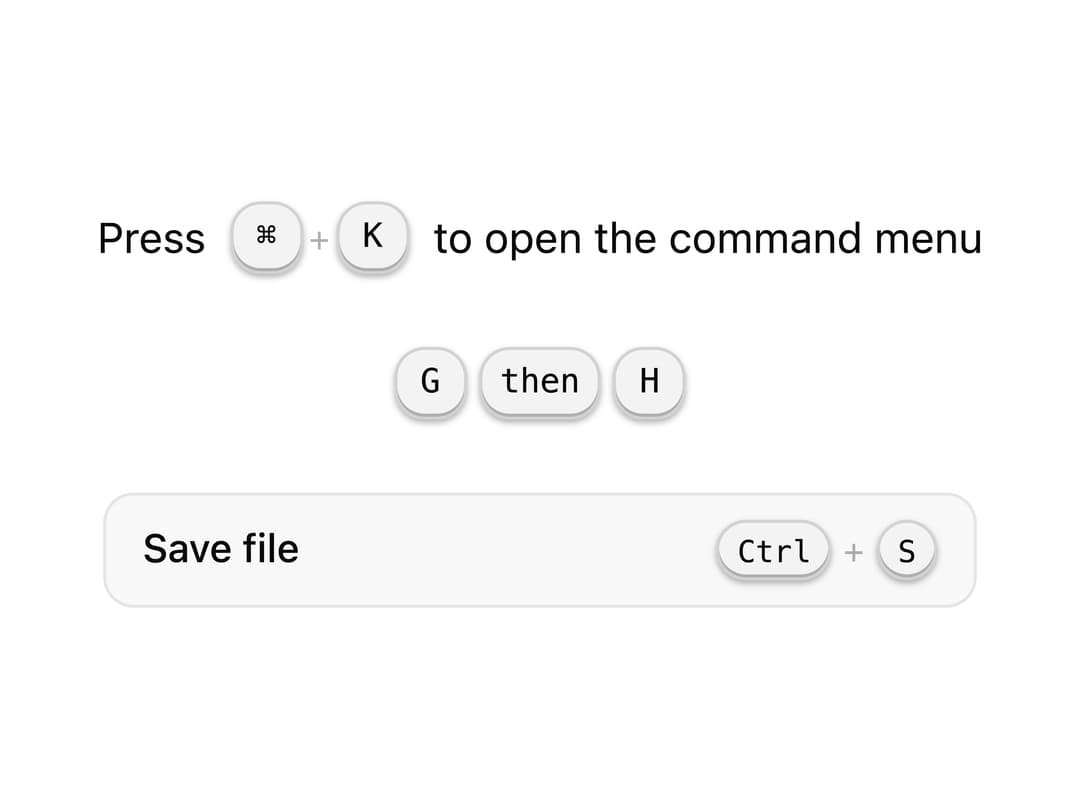
A styled keyboard key element for displaying shortcuts, key sequences, and command hints inline or in docs.
Built with React and Tailwind. Copy the prompt and paste it into Claude Code, Cursor or Lovable: your agent adds Kbd to your project and fits it to your theme.
Code
How Kbd is used: the demo's code. The component's own source comes with a free account.
Usage.tsx
import { Kbd } from "@/components/ui/kbd";

export default function KbdDemo() {
  return (
    <div className="flex flex-col items-center gap-6 p-10">
      <div className="flex items-center gap-2 text-sm text-[var(--foreground)]">
        <span>Press</span>
        <Kbd keys={["⌘", "K"]} />
        <span>to open the command menu</span>
      </div>

      <Kbd.Sequence>
        <Kbd>G</Kbd>
        <Kbd>then</Kbd>
        <Kbd>H</Kbd>
      </Kbd.Sequence>

      <div className="w-72">
        <Kbd.Command keys={["Ctrl", "S"]}>Save file</Kbd.Command>
      </div>
    </div>
  );
}
More by Wensity Labs
View all

Sidebar
286
Calendar
189
Button
87
Color Picker
71
Image Comparison Slider
65
AI Prompt Input
54
Text Morphing
42
Navigation Menu
36