About
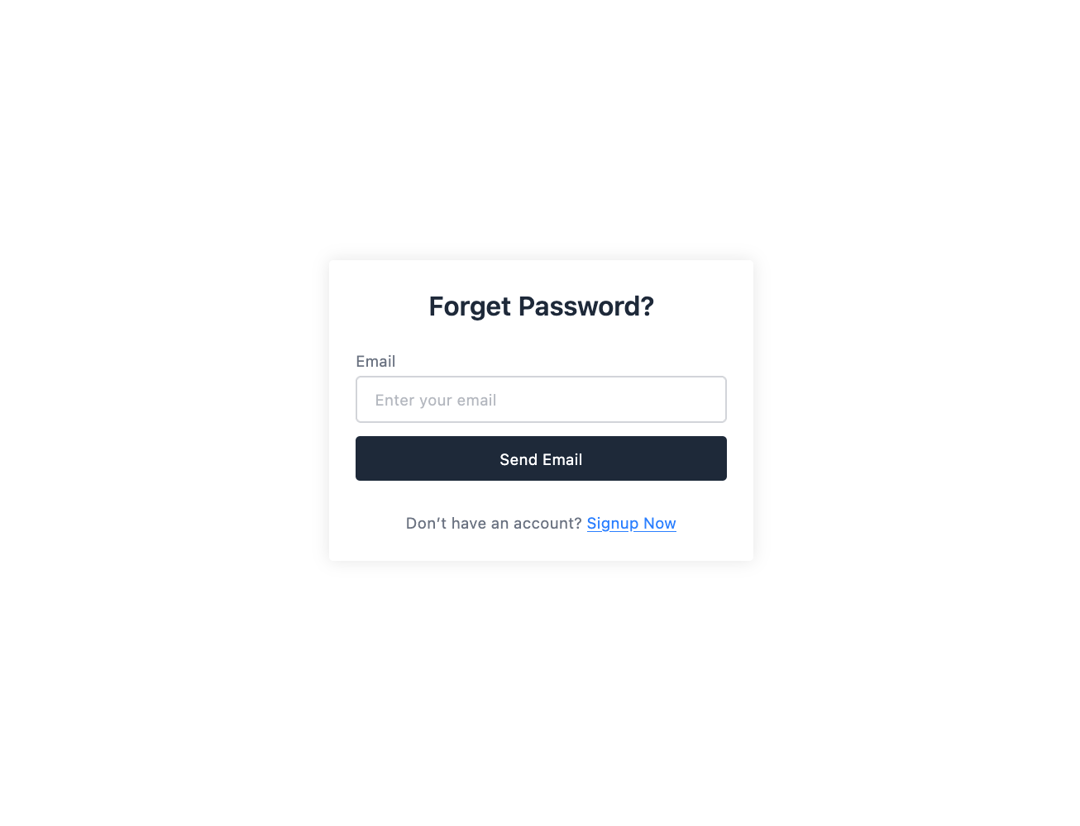
Here is Form component
Built with React and Tailwind. Copy the prompt and paste it into Claude Code, Cursor or Lovable: your agent adds Form to your project and fits it to your theme.
Code
How Form is used: the demo's code. The component's own source comes with a free account.
Usage.tsx
import React from "react";

export default function Example() {
    return (
        <div className="bg-white text-gray-500 max-w-96 mx-4 md:p-6 p-4 text-left text-sm rounded shadow-[0px_0px_10px_0px] shadow-black/10">
            <h2 className="text-2xl font-semibold mb-6 text-center text-gray-800">Forget Password?</h2>
            <label htmlFor="email">Email</label>
            <input id="email" className="w-full border mt-1 border-gray-500/30 focus:border-indigo-500 outline-none rounded py-2.5 px-4" type="email" placeholder="Enter your email" />
            <button type="button" className="w-full my-3 bg-gray-800 active:scale-95 transition py-2.5 rounded text-white">Send Email</button>
            <p className="text-center mt-4">Don’t have an account? <span className="text-blue-500 underline">Signup Now</span></p>
        </div>
    );
};More by prebuiltui
View all

Image Gallery
1.4K
Hero Section
418
Feature Sections
352
Testimonial
312
Cards
233
FAQ Sections
182
Login Form
128
Pricing Cards
89
More in Buttons
View all

Button
5
Texture Button
97

Button Group


Eclipse Button
39
Button
4

HeroUI Button Group

Base Button
4

App Store Button
458

