
About
Enhanced shadcn/ui tooltip
Built with React and Tailwind. Copy the prompt and paste it into Claude Code, Cursor or Lovable: your agent adds Tooltip to your project and fits it to your theme.
Code
How Tooltip is used: the demo's code. The component's own source comes with a free account.
Usage.tsx
import { Button } from "@/components/ui/button";
import {
  Tooltip,
  TooltipContent,
  TooltipProvider,
  TooltipTrigger,
} from "@/components/ui/tooltip";

function Component() {
  return (
    <TooltipProvider delayDuration={0}>
      <Tooltip>
        <TooltipTrigger asChild>
          <Button variant="outline" size="sm">
            W/ title
          </Button>
        </TooltipTrigger>
        <TooltipContent className="py-3">
          <div className="space-y-1">
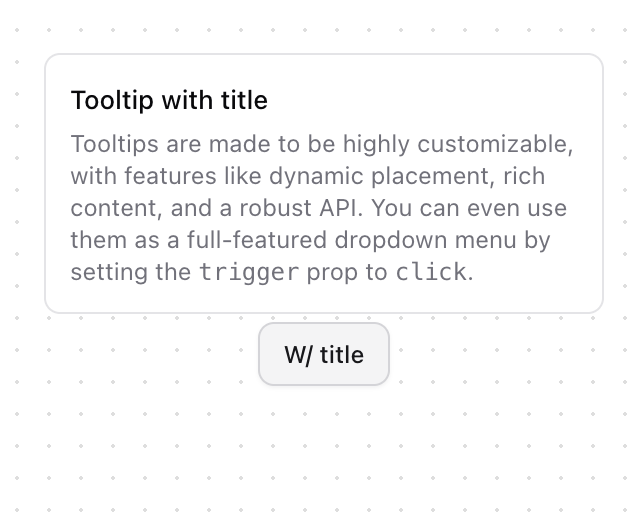
            <p className="text-[13px] font-medium">Tooltip with title</p>
            <p className="text-xs text-muted-foreground">
              Tooltips are made to be highly customizable, with features like dynamic placement,
              rich content, and a robust API. You can even use them as a full-featured dropdown menu
              by setting the <code>trigger</code> prop to <code>click</code>.
            </p>
          </div>
        </TooltipContent>
      </Tooltip>
    </TooltipProvider>
  );
}

export { Component };
Dependencies
More by Origin UI
View all
Dialog
1.2K
Avatar
974
useImageUpload
932
usePagination
628
Popover
384
Button
367
Command
328![Calendar [React Day Picker]](https://cdn.21st.dev/cdn-cgi/image/fit=scale-down,width=640,quality=75,format=webp/https://cdn.21st.dev/user_originui/calendar/default/preview.1737991983843.png)
Calendar [React Day Picker]
265
More in Buttons
View all
Texture Button
97

Button
5

Button Group


Eclipse Button
39
Button
4

HeroUI Button Group


App Store Button
458
Base Button
4

