
About
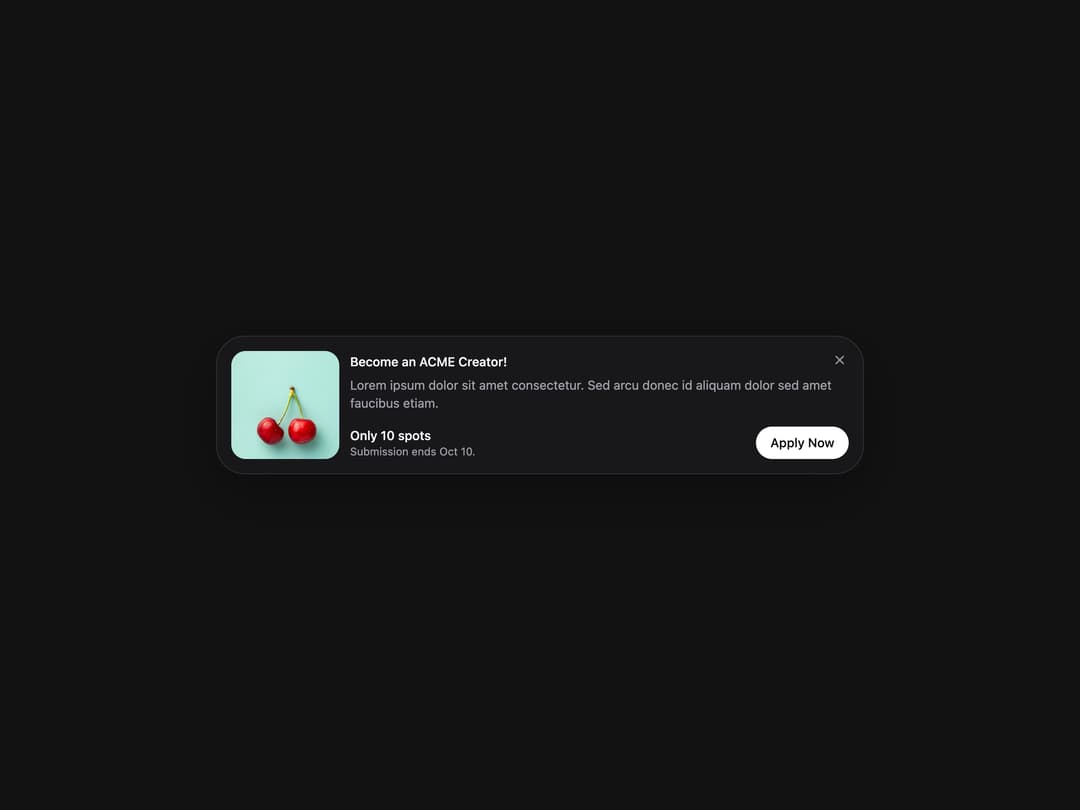
Flexible container component for grouping related content and actions.
Built with React and Tailwind. Copy the prompt and paste it into Claude Code, Cursor or Lovable: your agent adds Card to your project and fits it to your theme.
Code
How Card is used: the demo's code. The component's own source comes with a free account.
Usage.tsx
import { Card } from "@/components/ui/heroui-card";

function CloseButton() {
  return (
    <button
      aria-label="Close banner"
      className="absolute right-3 top-3 inline-flex size-7 items-center justify-center rounded-full text-zinc-500 transition-colors hover:bg-zinc-100 hover:text-zinc-900 dark:text-zinc-400 dark:hover:bg-white/10 dark:hover:text-zinc-50"
      type="button"
    >
      <svg aria-hidden="true" fill="none" viewBox="0 0 16 16" className="size-4">
        <path
          clipRule="evenodd"
          d="M3.47 3.47a.75.75 0 0 1 1.06 0L8 6.94l3.47-3.47a.75.75 0 1 1 1.06 1.06L9.06 8l3.47 3.47a.75.75 0 1 1-1.06 1.06L8 9.06l-3.47 3.47a.75.75 0 0 1-1.06-1.06L6.94 8 3.47 4.53a.75.75 0 0 1 0-1.06Z"
          fill="currentColor"
          fillRule="evenodd"
        />
      </svg>
    </button>
  );
}

export default function CardHorizontalDemo() {
  return (
    <div className="flex min-h-screen w-full items-center justify-center overflow-hidden bg-background p-8">
      <Card className="w-full max-w-[720px] items-stretch md:flex-row">
        <div className="relative h-[140px] w-full shrink-0 overflow-hidden rounded-2xl sm:h-[120px] sm:w-[120px]">
          <img
            alt="Cherries"
            className="pointer-events-none absolute inset-0 h-full w-full scale-125 object-cover select-none"
            src="https://cdn.21st.dev/assets/mirror/fc/fc030d3b8b5711b0ce567892051d2d7c8b8afd4ff2b0c964ef3cb95fe7b99c00.jpg"
          />
        </div>
        <div className="flex flex-1 flex-col gap-3">
          <Card.Header className="gap-1">
            <Card.Title className="pr-8">Become an ACME Creator!</Card.Title>
            <Card.Description>
              Lorem ipsum dolor sit amet consectetur. Sed arcu donec id aliquam dolor sed amet faucibus etiam.
            </Card.Description>
            <CloseButton />
          </Card.Header>
          <Card.Footer className="mt-auto flex w-full flex-col items-start gap-3 sm:flex-row sm:items-center sm:justify-between">
            <div className="flex flex-col">
              <span className="text-sm font-medium text-zinc-950 dark:text-zinc-50">Only 10 spots</span>
              <span className="text-xs text-zinc-500 dark:text-zinc-400">Submission ends Oct 10.</span>
            </div>
            <button className="w-full rounded-full bg-zinc-950 px-4 py-2 text-sm font-medium text-white transition-colors hover:bg-zinc-800 sm:w-auto dark:bg-white dark:text-zinc-950 dark:hover:bg-zinc-200" type="button">
              Apply Now
            </button>
          </Card.Footer>
        </div>
      </Card>
    </div>
  );
}

export { CardHorizontalDemo };
More by Hero Ui
View all

DatePicker
467
Chip
442
The Pagination
361
HeroUI Color Picker
107
HeroUI Table
106
Skeleton
105
HeroUI Disclosure Group
94
HeroUI AlertDialog
80
More in Buttons
View all

Button
5
Texture Button
97

Button Group


Eclipse Button
39
Button
4
HeroUI Button Group

Base Button
4

App Store Button
458

