About
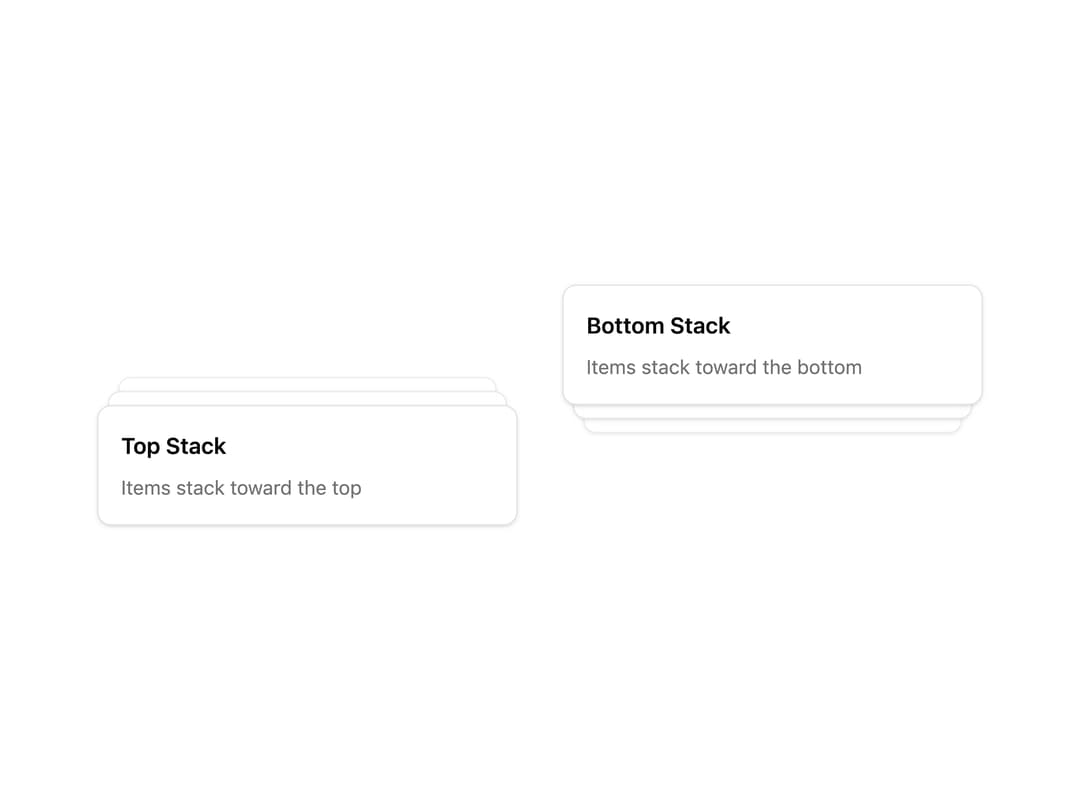
A stacked card/notification layout (like Sonner's toast stacking) whose items expand into a fanned-out list on hover.
Built with React and Tailwind. Copy the prompt and paste it into Claude Code, Cursor or Lovable: your agent adds Stack to your project and fits it to your theme.
Code
How Stack is used: the demo's code. The component's own source comes with a free account.
Usage.tsx
import { Stack, StackItem } from "@/components/ui/stack";

export default function StackSideDemo() {
  return (
    <div className="grid grid-cols-2 gap-8">
      <Stack className="w-[300px]" expandOnHover side="top">
        <StackItem className="flex flex-col gap-2">
          <h3 className="font-semibold">Top Stack</h3>
          <p className="text-sm text-muted-foreground">
            Items stack toward the top
          </p>
        </StackItem>
        <StackItem className="flex flex-col gap-2">
          <h3 className="font-semibold">Item 2</h3>
          <p className="text-sm text-muted-foreground">Behind the first</p>
        </StackItem>
        <StackItem className="flex flex-col gap-2">
          <h3 className="font-semibold">Item 3</h3>
          <p className="text-sm text-muted-foreground">Behind the second</p>
        </StackItem>
      </Stack>
      <Stack className="w-[300px]" expandOnHover side="bottom">
        <StackItem className="flex flex-col gap-2">
          <h3 className="font-semibold">Bottom Stack</h3>
          <p className="text-sm text-muted-foreground">
            Items stack toward the bottom
          </p>
        </StackItem>
        <StackItem className="flex flex-col gap-2">
          <h3 className="font-semibold">Item 2</h3>
          <p className="text-sm text-muted-foreground">Behind the first</p>
        </StackItem>
        <StackItem className="flex flex-col gap-2">
          <h3 className="font-semibold">Item 3</h3>
          <p className="text-sm text-muted-foreground">Behind the second</p>
        </StackItem>
      </Stack>
    </div>
  );
}
Dependencies
More by Dice UI
View all

Compare Slider
78
Sortable
50
Circular Progress
41
Status
32
Pending
28
Banner
19
Kanban Board
7
Mention
5
More in Cards
View all

Course Design Cards
1.1K

Statistics Card 7
301
Statistics Card 2
272
Stats cards with links
82

Interactive Tech Stack Bento Grid with Hover Effects
183

Card Studio
35
Card
70

Card
18
