
About
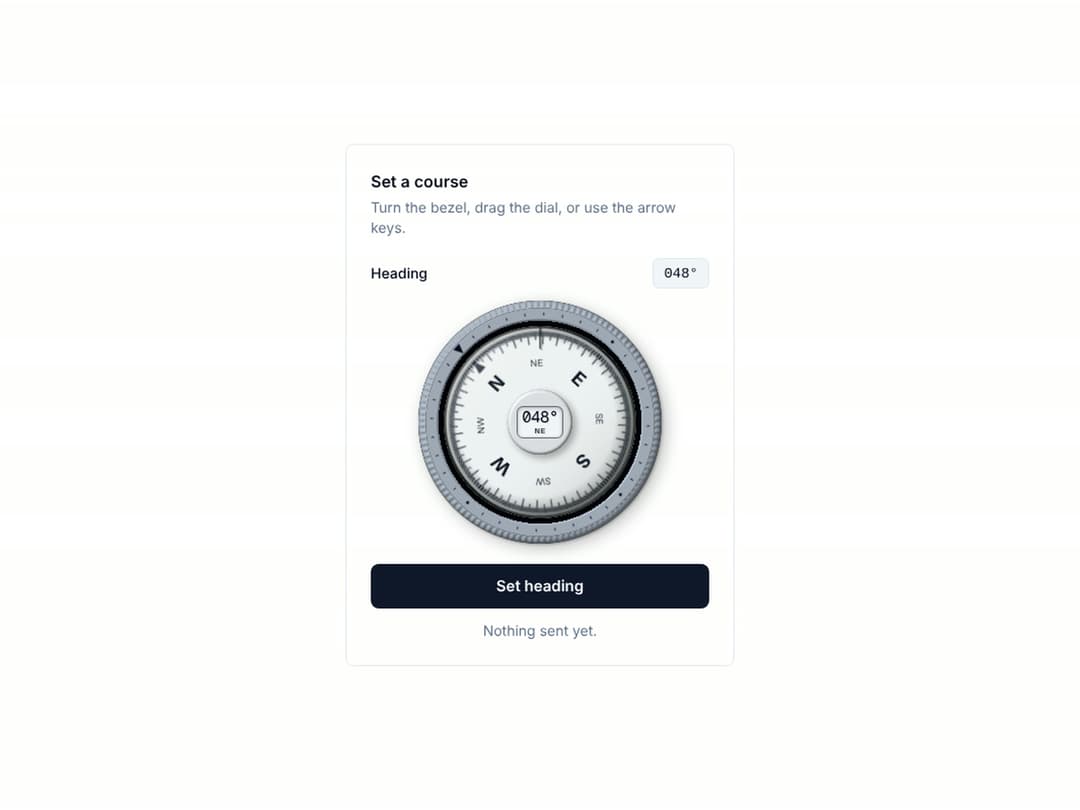
A liquid-damped compass. The card swings past the mark and settles while a lit display reads the bearing, and your hand turns the knurled bezel one degree a click. A real slider for screen readers (0 to 359, spoken as "274 degrees, west"), with arrow, Shift and Page keys. It is drawn from your shadcn theme and follows .dark. MIT. More like it: tactileui.dev
Built with React and Tailwind. Copy the prompt and paste it into Claude Code, Cursor or Lovable: your agent adds Compass to your project and fits it to your theme.
Code
How Compass is used: the demo's code. The component's own source comes with a free account.
Usage.tsx
"use client";

import { useId, useState, type FormEvent } from "react";
import { CompassDial } from "@/components/ui/compass";

export default function CompassHeadingFieldDemo() {
  const id = useId();
  const [heading, setHeading] = useState(48);
  const [sent, setSent] = useState<number | null>(null);

  const submit = (e: FormEvent) => {
    e.preventDefault();
    setSent(heading);
  };

  return (
    <div className="grid min-h-screen w-full place-items-center bg-background p-6 text-foreground">
      <form onSubmit={submit} className="w-full max-w-sm rounded-lg border border-border bg-card p-6 text-card-foreground" aria-labelledby={`${id}-title`}>
        <h2 id={`${id}-title`} className="m-0 text-base font-semibold">Set a course</h2>
        <p className="m-0 mt-1 text-sm text-muted-foreground">Turn the bezel, drag the dial, or use the arrow keys.</p>

        <div className="mt-5 flex items-center justify-between">
          <label htmlFor={`${id}-out`} className="text-sm font-medium">Heading</label>
          <output id={`${id}-out`} className="rounded-md border border-border bg-muted px-2.5 py-1 font-mono text-sm tabular-nums">{String(heading).padStart(3, "0")}°</output>
        </div>

        <div className="mt-3 flex justify-center">
          <CompassDial value={heading} onInput={setHeading} onChange={setHeading} size={240} label="Heading" />
        </div>

        <button type="submit" className="mt-5 min-h-11 w-full rounded-lg bg-primary px-4 py-2.5 text-[15px] font-semibold text-primary-foreground hover:opacity-90">
          Set heading
        </button>
        <p className="m-0 mt-3 min-h-5 text-center text-sm text-muted-foreground" role="status">
          {sent === null ? "Nothing sent yet." : `Sent ${sent} degrees.`}
        </p>
      </form>
    </div>
  );
}
More by Ciprian Titire
View all
FAQ Drawer
80
Pull Cord Lamp
29
Engraved Client Plates
12
Mechanical Odometer
6
Machined Footer
4