About
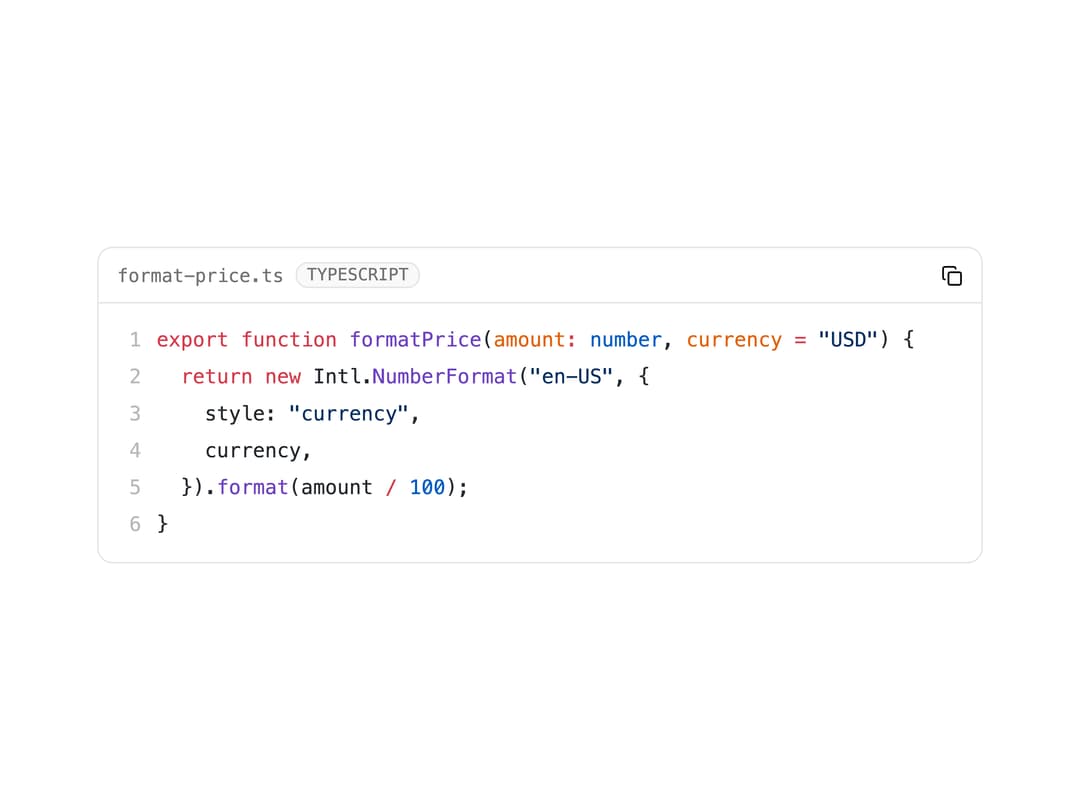
A syntax-highlighted code block with copy/download buttons, line numbers, diffs, diagnostics, folding and streaming support for docs sites and AI chat interfaces.
Built with React and Tailwind. Copy the prompt and paste it into Claude Code, Cursor or Lovable: your agent adds Code Block to your project and fits it to your theme.
Code
How Code Block is used: the demo's code. The component's own source comes with a free account.
Usage.tsx
import {
  CodeBlock,
  CodeBlockCopyButton,
  CodeBlockHeader,
  CodeBlockLanguage,
  CodeBlockTitle,
} from "@/components/ui/code-block";

const code = `export function formatPrice(amount: number, currency = "USD") {
  return new Intl.NumberFormat("en-US", {
    style: "currency",
    currency,
  }).format(amount / 100);
}`;

export default function CodeBlockDemo() {
  return (
    <div className="w-full max-w-xl">
      <CodeBlock code={code} language="typescript" showLineNumbers>
        <CodeBlockHeader>
          <CodeBlockTitle>format-price.ts</CodeBlockTitle>
          <CodeBlockLanguage />
          <CodeBlockCopyButton className="ml-auto" />
        </CodeBlockHeader>
      </CodeBlock>
    </div>
  );
}
More by Bundui.io
View all

Fluid particles background
774
Floating paths
650
Text Gradient Scroll
620
Stars
544
Image Comparison
429
Magnetic Button
404
Marquee Effect
322
Wavy
199