
About
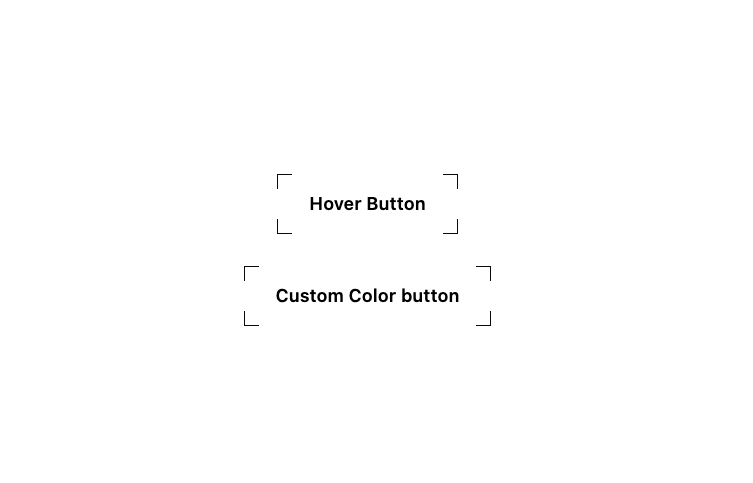
CornerFrameAnimatedButton is a customizable, animated button component that features stylish corner-frame borders and a smooth hover gradient reveal effect. Built with framer-motion and Tailwind CSS, it provides a clean, interactive visual style without compromising accessibility or flexibility.
Built with React and Tailwind. Copy the prompt and paste it into Claude Code, Cursor or Lovable: your agent adds Corner Frame Animated Button to your project and fits it to your theme.
Code
How Corner Frame Animated Button is used: the demo's code. The component's own source comes with a free account.
Usage.tsx
import CornerFrameAnimatedButton from '@/components/ui/corner-frame-animated-button';

export default function Demo() {
  return (
    <div className="min-h-screen flex items-center justify-center">
      <div className="flex flex-col items-center space-y-8">
        <CornerFrameAnimatedButton onClick={() => console.log('Button clicked!')} />

        <CornerFrameAnimatedButton
          buttonText="Custom Color button"
          className="px-6 py-3 text-base"
          color="bg-gradient-to-r from-orange-500 to-red-600"
          onClick={() => console.log('Custom Color button!')}
        />
      </div>
    </div>
  );
}
Dependencies
More by Arunachalam
View all
Scroll media expansion hero
10.8K
Profile Card Testimonial Carousel
1.3K
Modern Animated Sign In
1.1K
Bottom Nav Bar
837
Adaptive Notch Navigation Bar
692
Toast
661
Connected Carousel
426
Animated File Tree
342
More in Buttons
View all

Button
1
Texture Button
97

Eclipse Button
39

App Store Button
458

HeroUI Button Group
2
Button
4

Button
65
Button
68


